
Hyundai Venue (QX): Tire Pressure Monitoring System (TPMS) (Type B) / Check Tire Pressure
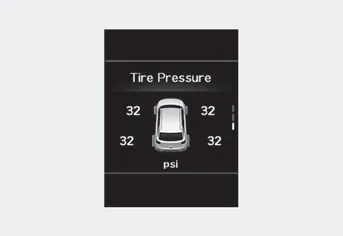
- You can check the tire pressure in the Assist mode on the cluster. Refer to the “LCD Display Mode� section in chapter 4.
- A “Drive to display� message will appear for the first few minutes of driving after initial engine start up. If the tire pressure is not displayed after a few minutes of driving, check the tire pressures.
- The displayed tire pressure values may differ from those measured with a tire pressure gauge.
- You can change the tire pressure unit in the User Settings mode on the cluster.
-- psi, kpa, bar
(1) Low Tire Pressure / TPMS Malfunction Indicator Lamp (2) Low Tire Pressure / Tire Pressure Monitor / TPMS Malfunction Display (shown on the cluster LCD display)
WARNING Over-inflation or under-inflation can reduce tire life, adversely affect vehicle handling, and lead to sudden tire failure that may cause loss of vehicle control resulting in an accident.
Other information:
Hyundai Venue (QX) (2020-2026) Service Manual: Antenna Coil. Repair procedures
Removal 1. Disconnect the negative (-) battery terminal. 2. Remove the driver crash pad lower panel. (Refer to Body - "Crash Pad Lower Panel") 3. Remove the steering column upper and lower shroud panel.
Hyundai Venue (QX) (2020-2026) Service Manual: Compressor. Repair procedures
Removal Precautions for using the plastic pulley • Be careful not to place the pulley to downwards of the floor or table.
Categories
- Manuals Home
- Hyundai Venue Owners Manual
- Hyundai Venue Service Manual
- Safety System
- Engine Electrical System
- Rear Seat Assembly. Repair procedures
- New on site
- Most important about car
